Microsoft Defender for Cloud Setup and Security Auditing
Configure Microsoft Defender for Cloud by registering resource providers, establishing cross-cloud connectors, and automating security posture assessments.
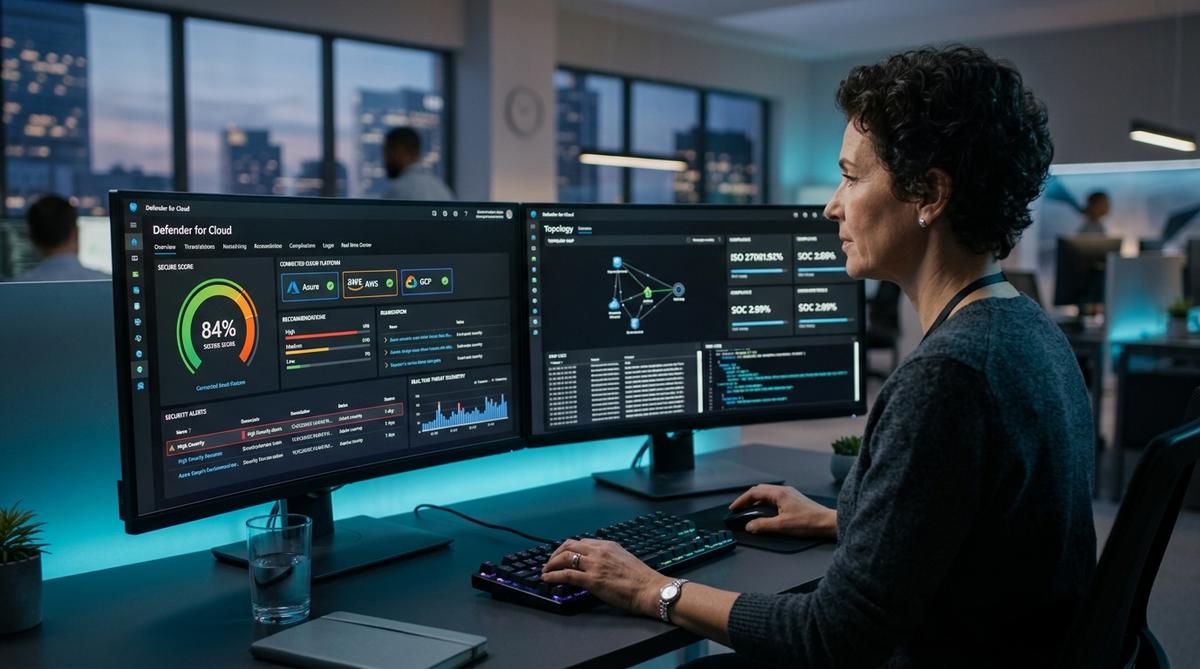
Microsoft Defender for Cloud functions as a Cloud Native Application Protection Platform (CNAPP) combining Cloud Security Posture Management (CSPM) and Cloud Workload Protection (CWPP) across Azure, Amazon Web Services (AWS), Google Cloud Platform (GCP), and hybrid on-premises datacenters. Establishing reliable cloud security for businesses requires a layered defense that can secure the cloud across multi-tenant infrastructure, virtual host hypervisors, and distributed applications. Operating as an enterprise threat protection service, the platform delivers unified cloud based threat protection and continuous security posture enforcement across public clouds and on-premises clusters. The central operational challenge involves calibrating real-time detection telemetry against Log Analytics ingestion costs while maintaining zero disruption to production container deployments.
Quick Decision Matrix
Select your deployment tier based on operational requirements. Foundations CSPM delivers agentless posture auditing and Secure Score baselines at zero license cost. Enhanced Workload Protection plans enable real-time runtime heuristics, memory dump inspections, and container registry vulnerability scans for mission-critical production fleets.
Architecture and Multi-Cloud Deployment
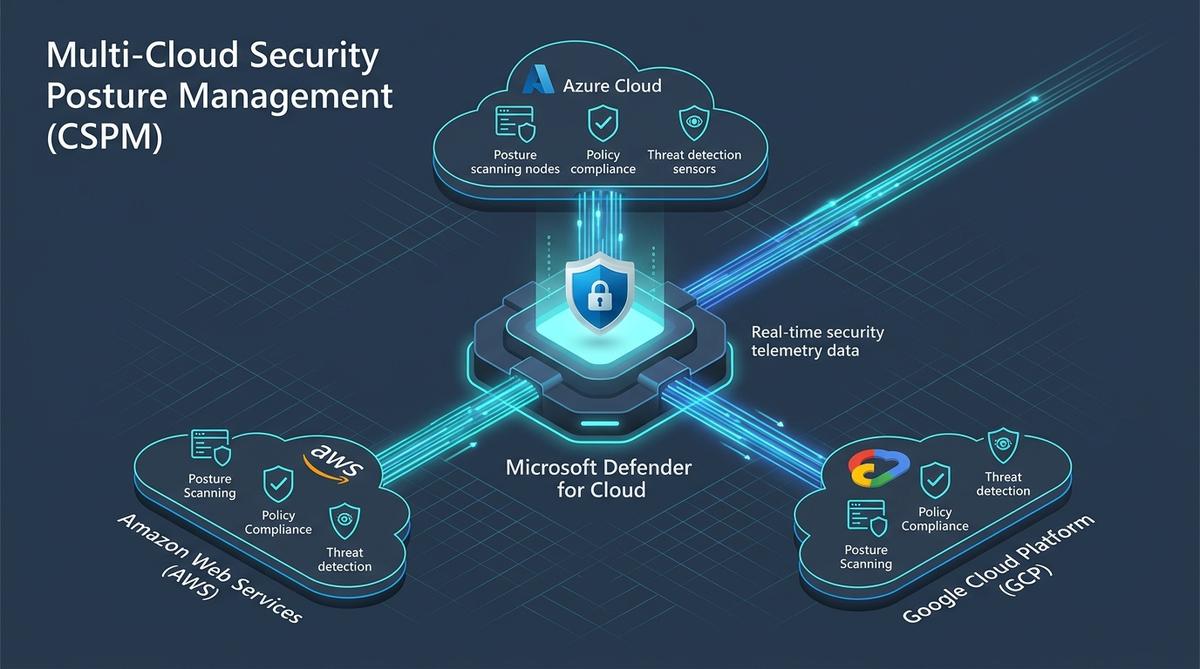
A production deployment begins with establishing administrative control at the root Azure Management Group level. Applying Defender for Cloud policies to the management group guarantees that every existing and newly provisioned subscription automatically inherits baseline security controls. This programmatic inheritance eliminates configuration drift across decentralized engineering groups. To onboard non-Azure infrastructure, administrators configure native multi-cloud connectors. These connectors use OpenID Connect (OIDC) identity federation to establish secure API access into AWS IAM roles and GCP service accounts without storing permanent secret keys.
When configuring multi-cloud connectivity, ensure that your underlying Docker container architecture is explicitly registered. Securing network perimeters requires connecting external endpoints with internet security cloud telemetry while integrating cloud security web policies. This protects ingress routes, strengthening cloud hosting cyber security across multi-region tenant pools. Container nodes and serverless microservices represent the primary lateral movement vector during unauthorized cluster intrusions. Use the following Azure CLI commands to register the required security providers and enable Defender across an active Azure subscription:
# Register required resource providers
az provider register --namespace Microsoft.Security
az provider register --namespace Microsoft.Compute
az provider register --namespace Microsoft.PolicyInsights

# Verify registration status
az provider show -n Microsoft.Security --query "registrationState" -o tsv

# Enable Standard Defender tier for the active subscription
az security pricing create --name "VirtualMachines" --tier "Standard" --subplan "Plan2"
Following provider registration, Defender initiates an agentless discovery scan. The platform inspects cloud asset configurations against the Microsoft Cloud Security Benchmark (MCSB). Unprotected virtual machines, exposed databases, and unrestricted cloud storage buckets are cataloged immediately. For organizations scaling elastic storage backbones, inspect our breakdown on cloud based file storage object vs block to understand why default public bucket access and missing customer-managed encryption keys trigger high-severity Defender alerts.
Defender for Cloud vs Microsoft Sentinel: Architectural Roles
A frequent architectural confusion centers on the boundary between Microsoft Defender for Cloud and Microsoft Sentinel. While both tools reside within the Microsoft security portfolio, they serve distinct operational mandates within an enterprise Security Operations Center (SOC):
Microsoft Defender for Cloud (CNAPP / CSPM / CWPP): Focuses on resource hygiene, security hardening, vulnerability detection, and runtime behavioral anomalies directly on workloads (compute nodes, Kubernetes clusters, storage blobs, and SQL databases). It generates structured recommendations and security alerts based on resource state.
Microsoft Sentinel (SIEM / SOAR): Operates as the centralized analytical brain. Sentinel ingests raw log streams from firewalls, network proxies, Entra ID identity sign-ins, third-party clouds, and Defender alerts. It executes machine learning correlation across disparate signals and triggers automated SOAR Playbooks via Logic Apps.
To connect both systems, configure Continuous Export in Defender for Cloud to stream security alerts and compliance findings directly into the primary Sentinel Log Analytics workspace. This pipeline provides security analysts with unified incident timelines that correlate infrastructure vulnerabilities with identity sign-in anomalies.
Multi-cloud connectors aggregate telemetry across Azure subscriptions, AWS accounts, and GCP projects.
Cloud Detection and Response (CDR) and Threat Protection
Static posture auditing identifies configuration errors, but defending active workloads requires real-time cloud detection and response capabilities. Known in security engineering as cdr cloud architecture, this discipline shifts focus from point-in-time scanning to dynamic behavior analysis. Understanding what is threat prevention in cloud infrastructure begins with distinguishing between perimeter firewalls and runtime workload sensors. An effective threat prevention solution intercepts malicious processes at the operating system kernel and API control plane before lateral traversal occurs.
Defender for Cloud delivers an integrated threat protection system through its workload protection plans. When applied to compute clusters, this security threat protection engine analyzes process execution trees, memory space allocations, and network socket bindings. As part of an end-to-end cdr security strategy, the platform performs cloud threat detection and response across virtual machines and managed Kubernetes nodes. For microservices and front-end workloads, cloud application detection and response monitors HTTP traffic profiles and API invocation patterns. When deployed alongside Web Application Firewalls, it reinforces cloud website security by flagging SQL injections and remote code execution payloads in flight.
SecOps teams evaluating cloud detection and response solutions prioritize telemetry correlation speed and low false-positive rates. Delivering unified cloud threat protection requires continuous ingestion from host daemons and network flows. Defender for Cloud feeds continuous cloud detection events into centralized investigation graphs. By providing an automated threat protection solution, the platform gives analysts the tooling needed to isolate compromised nodes, revoke compromised IAM tokens, and terminate malicious daemons within seconds of detection, establishing secure cloud threat management across hybrid compute fleets.
Vulnerability Management in Cloud Computing and Remediation
The importance of vulnerability management in cloud environments has escalated as infrastructure teams shift toward rapid continuous deployment schedules. Autoscaling groups, transient container pods, and serverless functions create a dynamic perimeter where unpatched packages introduce immediate exposure. Practicing vulnerability management in cloud computing requires automated engines that evaluate assets without degrading application throughput.
When evaluating scanning platforms, engineers look for the common features of cloud vulnerability management tools. These include agentless disk snapshot inspection, native container registry image scanning, Common Vulnerabilities and Exposures (CVE) severity ranking via the Exploit Prediction Scoring System (EPSS), and software bill of materials (SBOM) generation. In Defender for Cloud, these capabilities are powered by Microsoft Defender Vulnerability Management (MDVM), offering continuous inventory visibility across Windows, Linux, and container base images.
To determine how to assess cloud vulnerability management maturity across your organization, audit three key indicators: scanning coverage across all active cloud accounts, mean time to detect unpatched packages, and remediation completion rates. Engineering teams implement cloud vulnerability management best practices by incorporating security gates into build systems. Applying best practices for integrating vulnerability management into cloud security ensures that container images with critical severity CVEs are blocked in CI workflows before deployment to production registries.
Executing the most effective vulnerability remediation for cloud environments depends on whether resources are mutable or immutable. For mutable compute instances, teams configure automated patching schedules through Azure Update Manager to apply security fixes during maintenance windows. For immutable container fleets and virtual machine scale sets, the superior remediation path avoids live patching; instead, developers update base container images, run automated regression tests, and roll out updated instances via blue-green or canary deployments.
Security Auditing and Continuous Compliance
Auditing within Defender for Cloud operates on an automated continuous telemetry model rather than periodic point-in-time assessments. Each audited resource is evaluated against regulatory initiatives including ISO 27001, SOC 2 Type II, PCI-DSS v4.0, and CIS Benchmarks. When a virtual machine violates a benchmark rule, the portal highlights the exact Azure Policy initiative ID and provides remediation scripts to restore compliance. This mechanism is especially essential when evaluating AWS EC2 instance types and sizing across connected AWS accounts, identifying instances running deprecated AMI images or unencrypted EBS volumes.
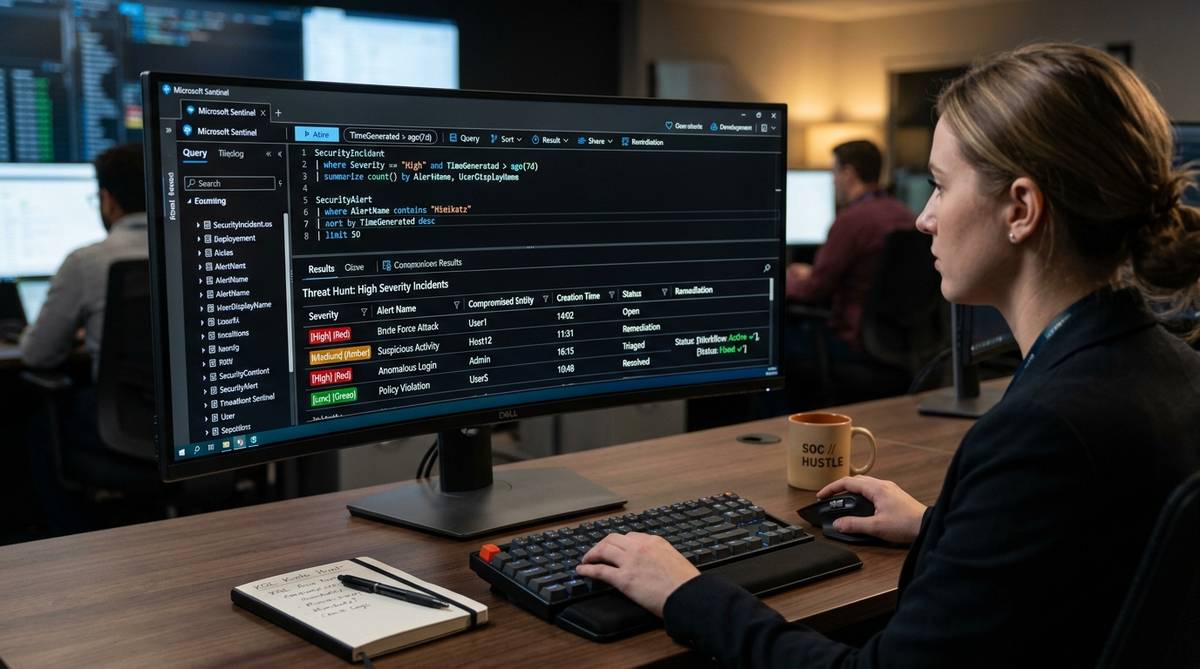
Security engineering teams query auditing telemetry using Kusto Query Language (KQL) within Log Analytics. The following query isolates high-severity recommendations, groups them by resource group, and identifies unmanaged endpoints needing remediation:
SecurityRecommendation
| where TimeGenerated > ago(7d)
| where RecommendationSeverity in ("High", "Critical")
| summarize
    UnhealthyCount = countif(RecommendationState == "Unhealthy"),
    HealthyCount = countif(RecommendationState == "Healthy")
    by RecommendationDisplayName, ResourceGroup
| extend ComplianceRatio = round(todouble(HealthyCount) / (HealthyCount + UnhealthyCount) * 100, 2)
| sort by UnhealthyCount desc
Compliance reporting dashboards allow SecOps leads to download audit-ready executive PDF summaries mapped to specific compliance frameworks. Tracking these scores weekly provides quantitative validation of infrastructure hardening progress across business units.
Continuous KQL querying flags misconfigurations and triggers automated workflow remediation.
Operational Comparison Matrix: Free vs Enhanced Plans
Selecting the appropriate Defender for Cloud tier requires balancing regulatory requirements against monthly billing thresholds. The table below details capabilities, latency characteristics, and operational trade-offs across deployment tiers:
Capability
Foundations CSPM (Free)
Defender CSPM (Enhanced)
Defender for Servers (Plan 2)
Operational Trade-off
Secure Score Assessment
Included (Daily)
Included (Real-Time)
Included
Polling frequency vs API limits
Attack Path Analysis
Not Available
Included (Graph-based)
Included
Deep graph traversal compute cost
Workload Runtime Protection
None
Posture Only
Real-Time EDR (MDE)
Agent overhead vs threat visibility
Multi-Cloud AWS/GCP
Basic Inventory
Full Posture Mapping
Multi-Cloud EDR
Cross-cloud IAM role management
Regulatory Mapping
MCSB Baseline Only
PCI, ISO, SOC2, NIST
Full Compliance Suite
Configuration complexity
Automating Defender Provisioning with Terraform
Configuring security tiers manually through the Azure portal introduces human error and slows provisioning in multi-subscription environments. Production environments manage Defender for Cloud declaratively using Terraform or OpenTofu. The following Terraform configuration enables Defender for Servers Plan 2, enables Defender for Storage, and configures automated security contact alerts:
Executing this configuration within your CI/CD delivery pipeline guarantees that every newly created subscription is immediately hardened according to enterprise governance baselines before application deployment begins.
Troubleshooting and Incident Triage Runbook
When operating Defender for Cloud at scale, platform engineers frequently encounter connectivity and agent ingestion failures. Use the following diagnostic troubleshooting procedures to resolve common failure states:
Agent Disconnected State: If the Azure Monitor Agent or Defender endpoint extension indicates a disconnected status, verify outbound firewall rules. Compute instances require outbound access to HTTPS port 443 across the AzureMonitor and AzureActiveDirectory service tags.
Orphaned Resource Accumulation: When dynamic scaling clusters terminate virtual machines without cleanly purging managed disks or network interfaces, unattached resources remain in inventory and degrade Secure Scores. Schedule automated PowerShell garbage collection routines to unregister decommissioned assets.
Insufficient Subscription Permissions: Enabling pricing tiers requires the Security Admin role at subscription or management group scope. The standard Contributor role lacks authorization over Microsoft.Security/* registration namespaces.
To triage active high-severity alerts directly from the command line without portal latency, execute the following Azure CLI query:
# Query active High and Critical security alerts
az security alert list   --query "[?status=='Active' && (severity=='High' || severity=='Critical')].{Alert:title, Resource:compromisedEntity, Severity:severity, Detected:startTimeUtc}"   -o table
Cost Management and Resource Sizing Strategies
Defender for Cloud pricing follows a usage-based model determined by the count of protected workload instances and log ingestion volume into Log Analytics. Left unmonitored, dev/test subscriptions running full Defender for Servers Plan 2 can drive unexpected monthly cloud expenses. To evaluate how CapEx and OpEx models balance in distributed systems, inspect our breakdown on the business benefits of cloud computing.
To optimize expenditure, implement selective workspace ingestion. Apply the Standard tier exclusively to production management groups, leaving non-production sandbox environments on Foundations CSPM. Additionally, disable Defender for Containers on short-lived CI/CD testing nodes, focusing runtime protection on persistent Kubernetes production clusters. Audit Azure Cost Management reports monthly to confirm that ingestion budgets align with threat modeling requirements.
Frequently Asked Questions
Use the Environment Connectors blade in the Defender for Cloud portal to link AWS accounts or GCP projects. This establishes an agentless API trust using AWS IAM OIDC roles or GCP Workload Identity federation with read-only security auditing permissions.
Evan Mitchell• Cloud Infrastructure Specialist & Systems Administrator3+ Years Industry Experience
Systems administrator with 3+ years managing enterprise Linux servers, AWS EC2 instances, and Docker containers. Evan focuses on practical bash scripting and secure network configurations.